
1604 Character LCD Display
$5.24
When I ordered it, the display was a little cheaper, but that doesn't really change anything. The packaging looks decent, but it's soft, so it could easily have been damaged in transit by a sharp corner of some other parcel.
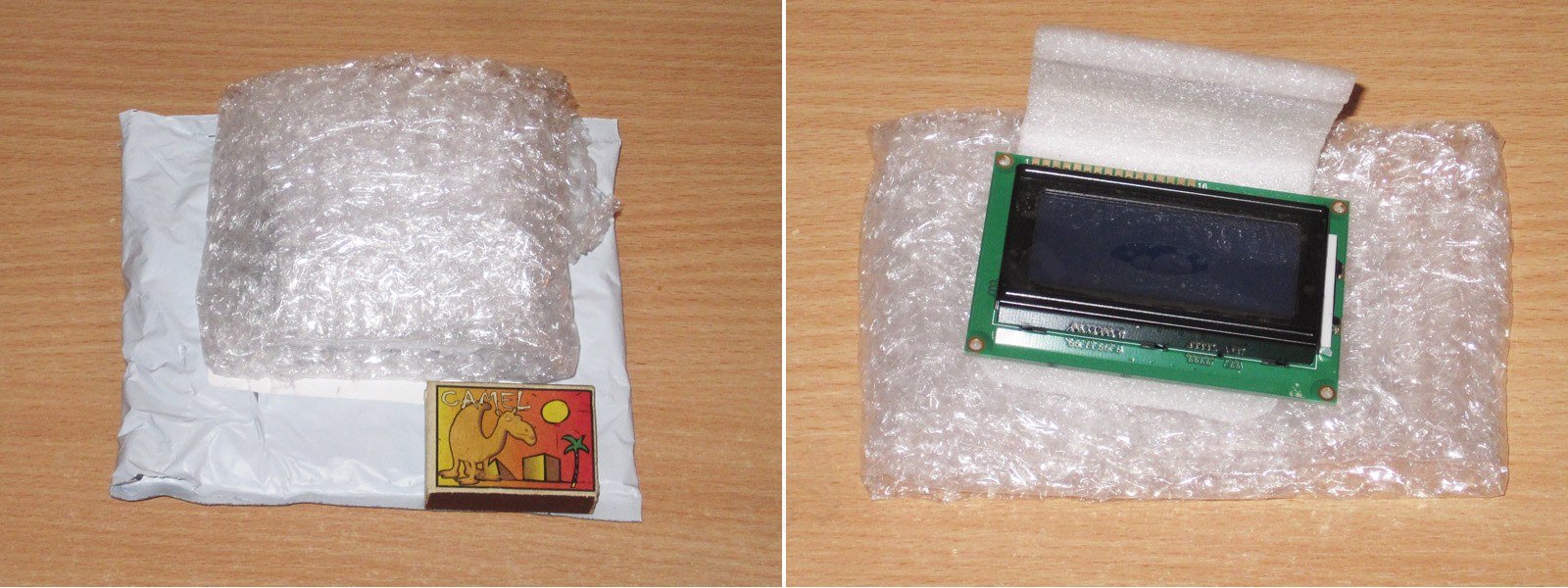
Fortunately, everything turned out fine: at least it looked intact :) I decided to buy it from China because I didn't need it urgently, and it was cheaper than buying one locally. But keep in mind that the displays usually sold here are Winstar models with Cyrillic characters, while the ones from China have Latin characters only.

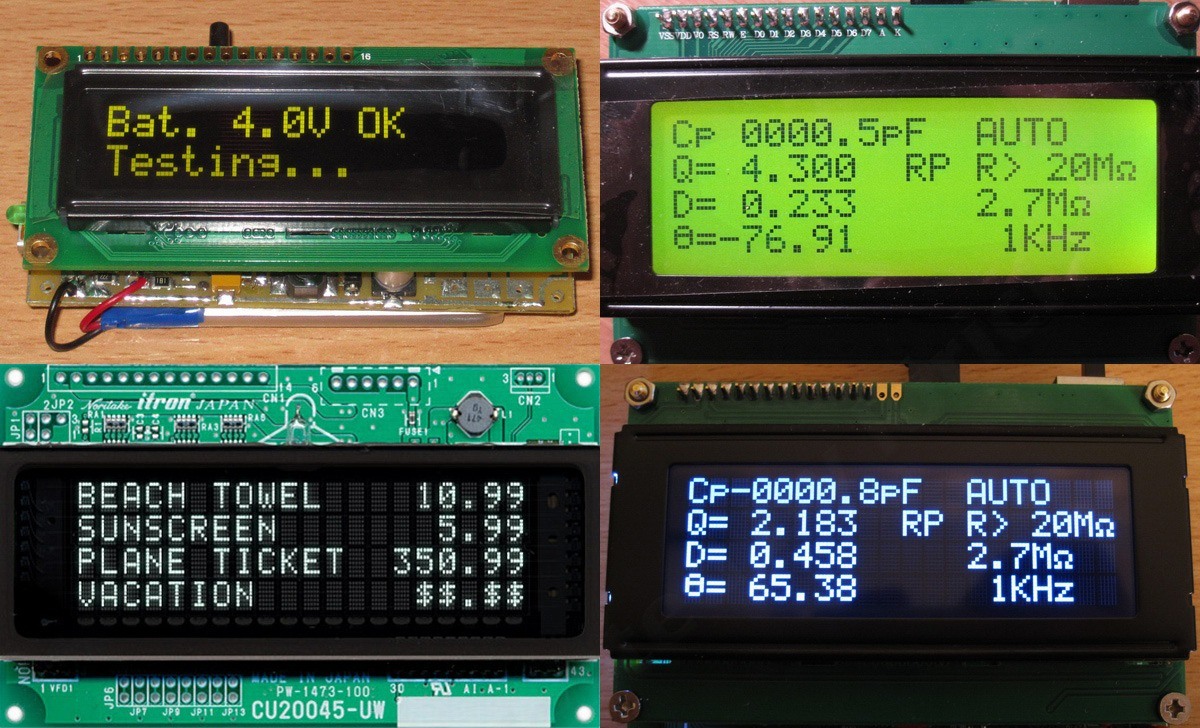
This is a standard LCD display. Here's a table comparing the different types of displays currently available on the market.
1. OLED: expensive and high quality, but there are concerns about its lifespan under certain conditions.
2. LCD: cheap, but the image quality is the lowest of all.
3. VFD: a classic—expensive and high quality, but with high power consumption.
4. VATN: a compromise between OLED and LCD.
Of course, there are also types like TFT, but I haven't come across character displays like that, so they aren't included here.

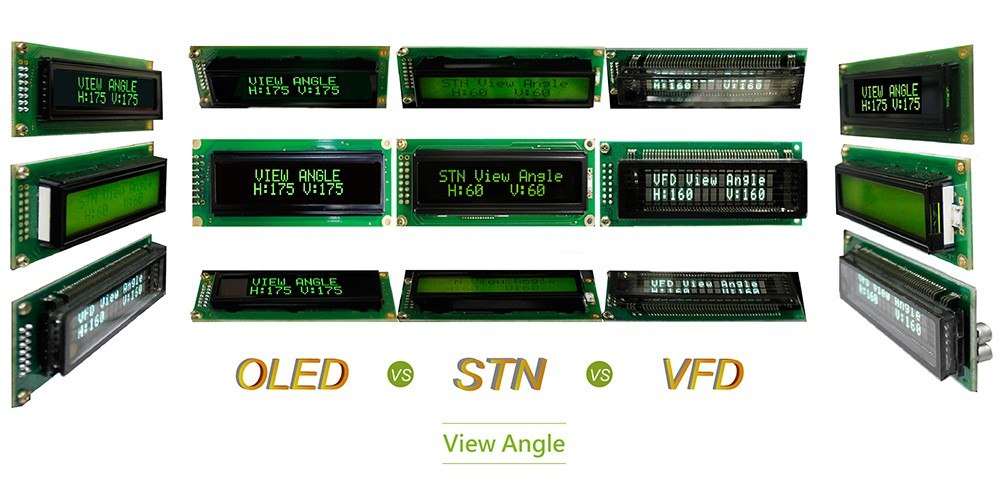
The photos show the displays in the same order as listed above. I don't have a matrix/character VFD yet, so that photo is from the internet; I've tried the others myself.
No complaints about the circuit board: everything is neat and well made. The board measures 87 × 60 mm.
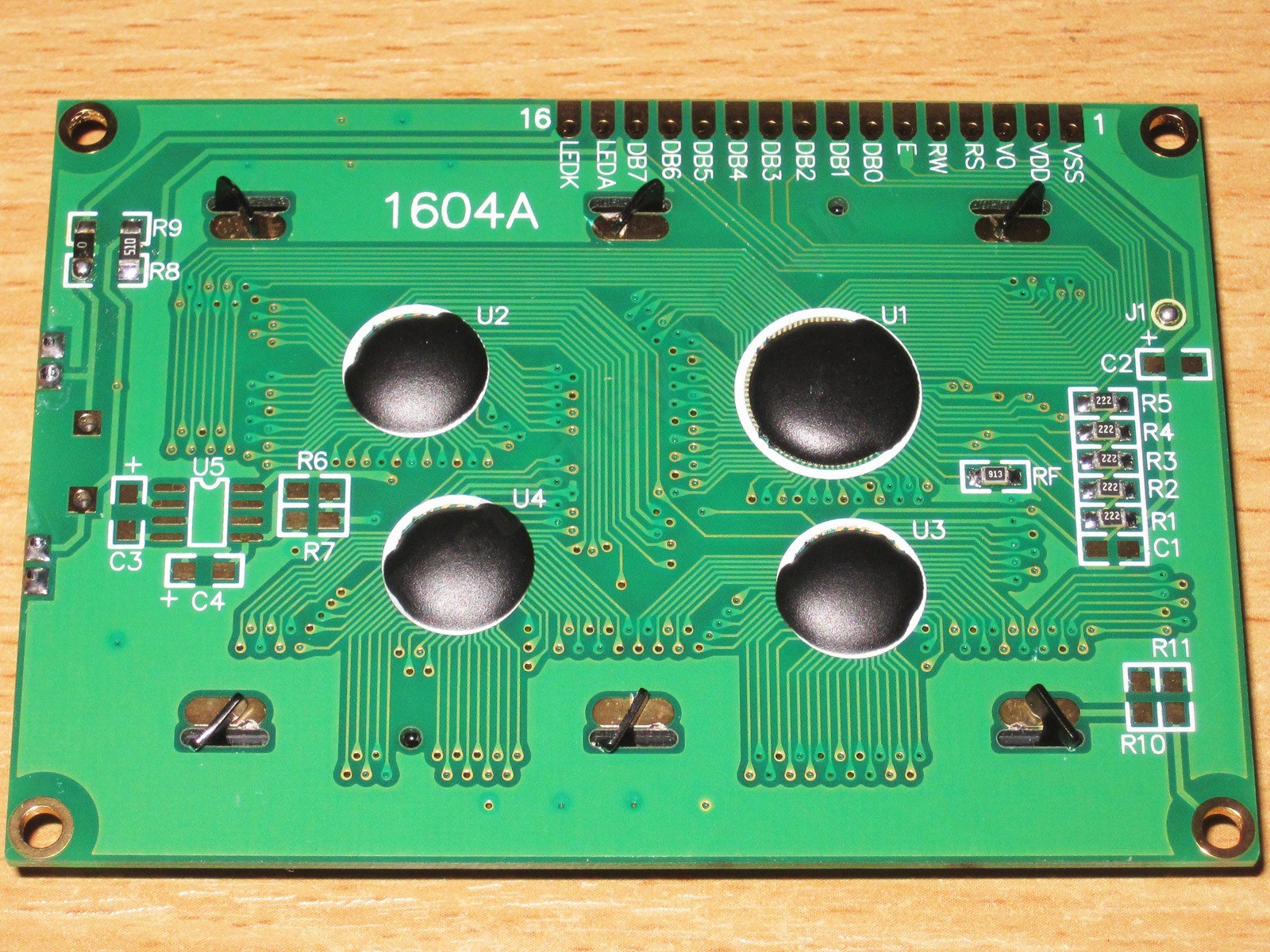
The drawing has more dimensions, but usually it's enough to know the board size, since everything else is essentially positioned relative to it.

The backlight uses two LEDs; the familiar 1602 displays usually have just one. There are two important things to keep in mind here:
1. If the backlight uses an LED, as it does here, it is usually powered directly from 5 V, with a current-limiting resistor on the display board. This is most common with Chinese models.
2. If the backlight is a special flat module, you need to limit the current with an external resistor; there isn't one on the display board. This is mostly the case with Winstar displays.
Also, the second type draws noticeably more current, around 150–220 mA, while the first type (like the one in this review) draws about 10–15 mA.
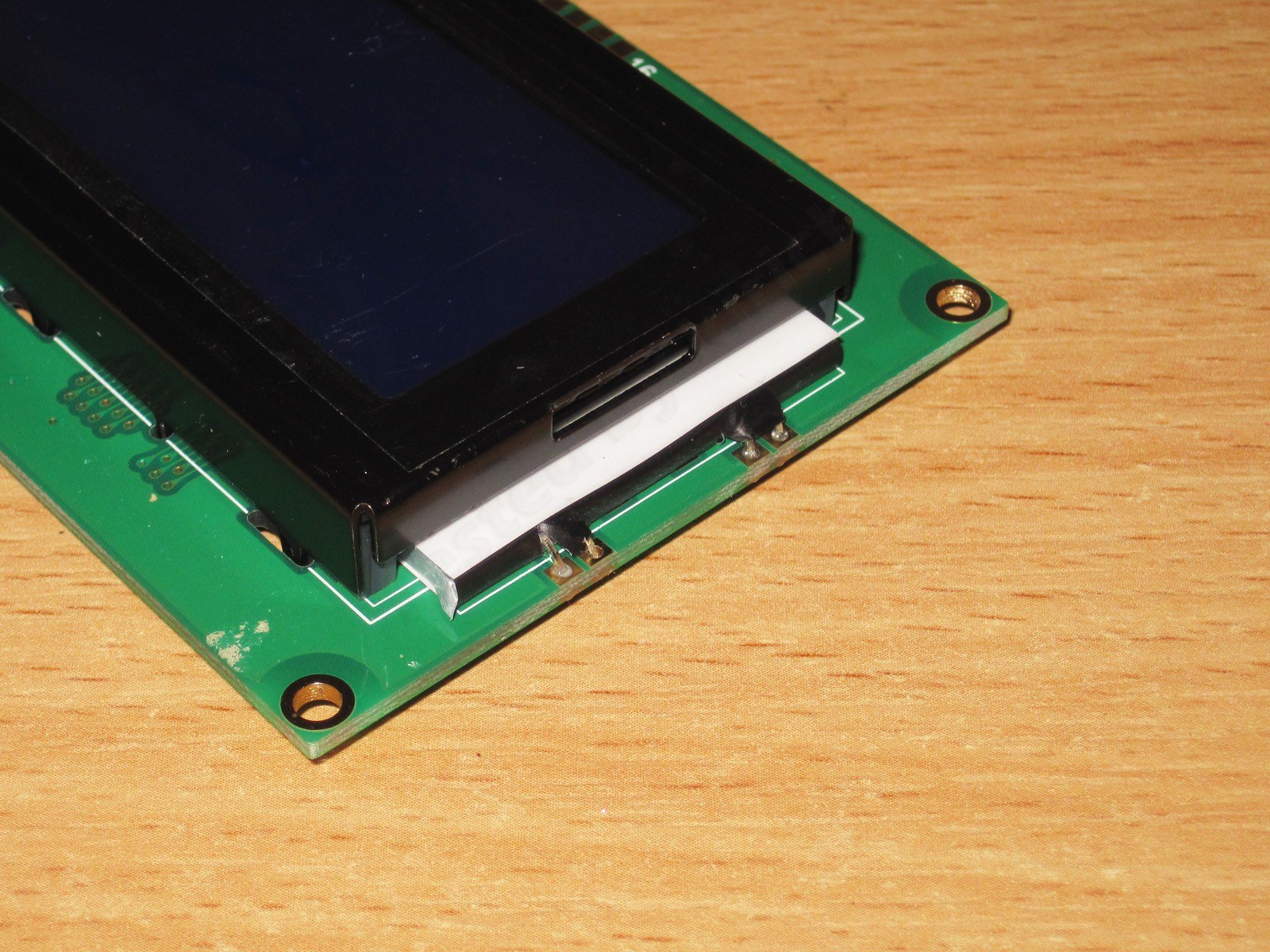
The display shown in this review has a negative display (dark background, light characters), a blue filter and white characters, but there are actually a huge number of color combinations for the characters and background.

A couple more words about the connections. In principle, everything is standard here, but I've come across displays with the power or backlight connections reversed—I can't remember which—so it's best to check before connecting it.
There are also at least three ways the connection pins can be arranged:
1. Top (like the one in this review)
2. Bottom
3. Side, usually on the left.
Keep this in mind when buying, because replacing a top-mounted connector with a bottom-mounted one is somewhat... inconvenient.
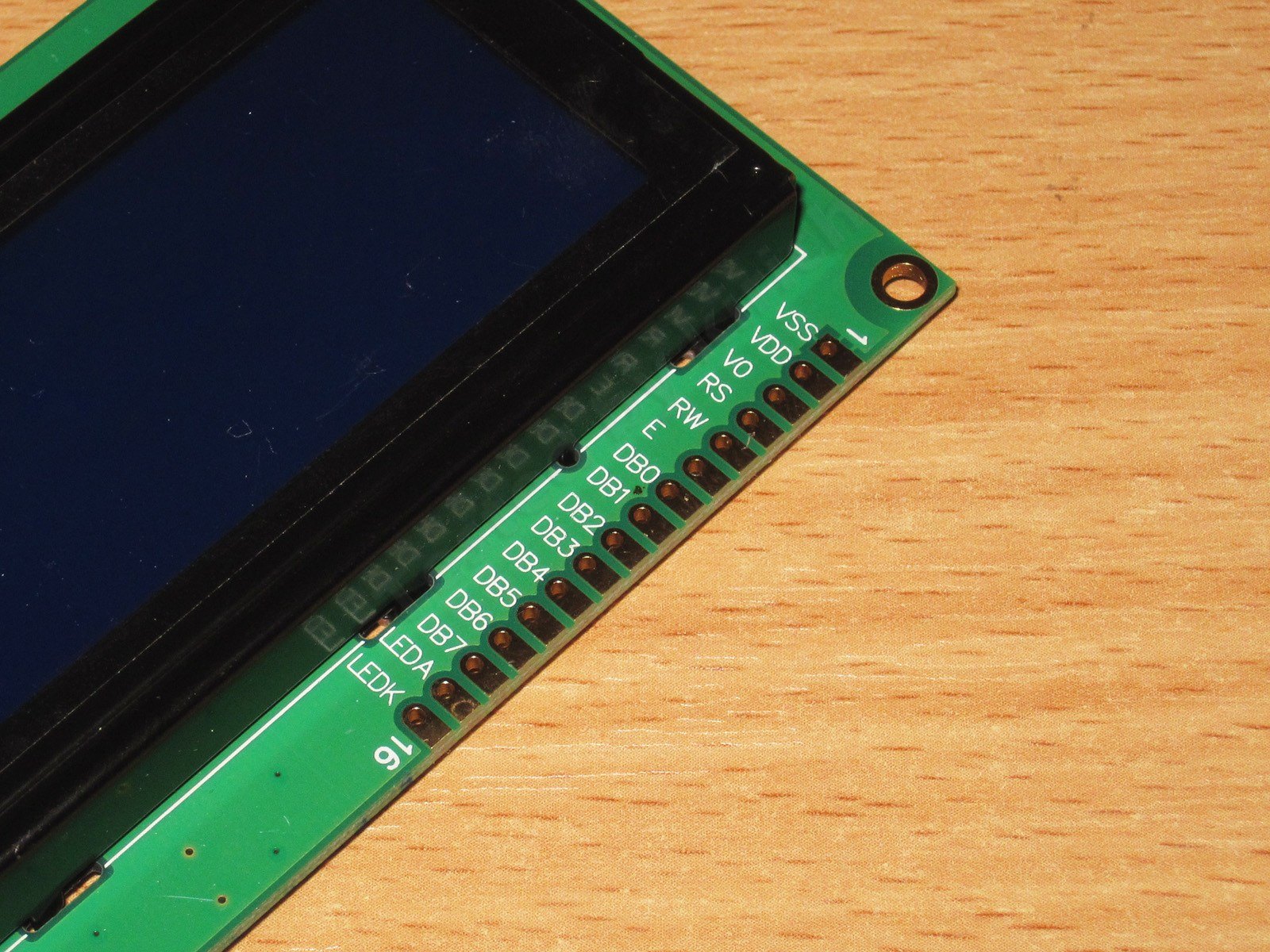
Pinout for the connections.

The display looks a lot like the 2004, which makes sense: the 2004 is a little longer.

To test the display, you can use the device it's intended for, or pretty much any other device. Even if your board has a 1602 display, a 16004 or 2004 will work too. The text lines will be offset, but that's fine for a basic functionality check.
In my case, I used the device I bought it for to test it.

In this case, I wasn't just testing the display; I was also adjusting the contrast, since the adjustment potentiometer was between the main board and the display.
Contrast is adjusted by changing the voltage on the indicator's corresponding pin (Vo). Most often, adjustment only requires a voltage from zero to some positive value, but in some cases a negative voltage may also be needed. Also, sometimes the contrast needs to be adjusted again after replacing the display.

If you've just connected the display to a new device, there's a very good chance you won't see anything on the screen, or you'll see an image with far too much contrast, where the character cells themselves are visible. That's what the contrast looks like when it's not adjusted. Turn the trimmer until the contrast looks right. After adjustment, the trimmer can be replaced with two fixed resistors, especially if the display will be used in harsh conditions.
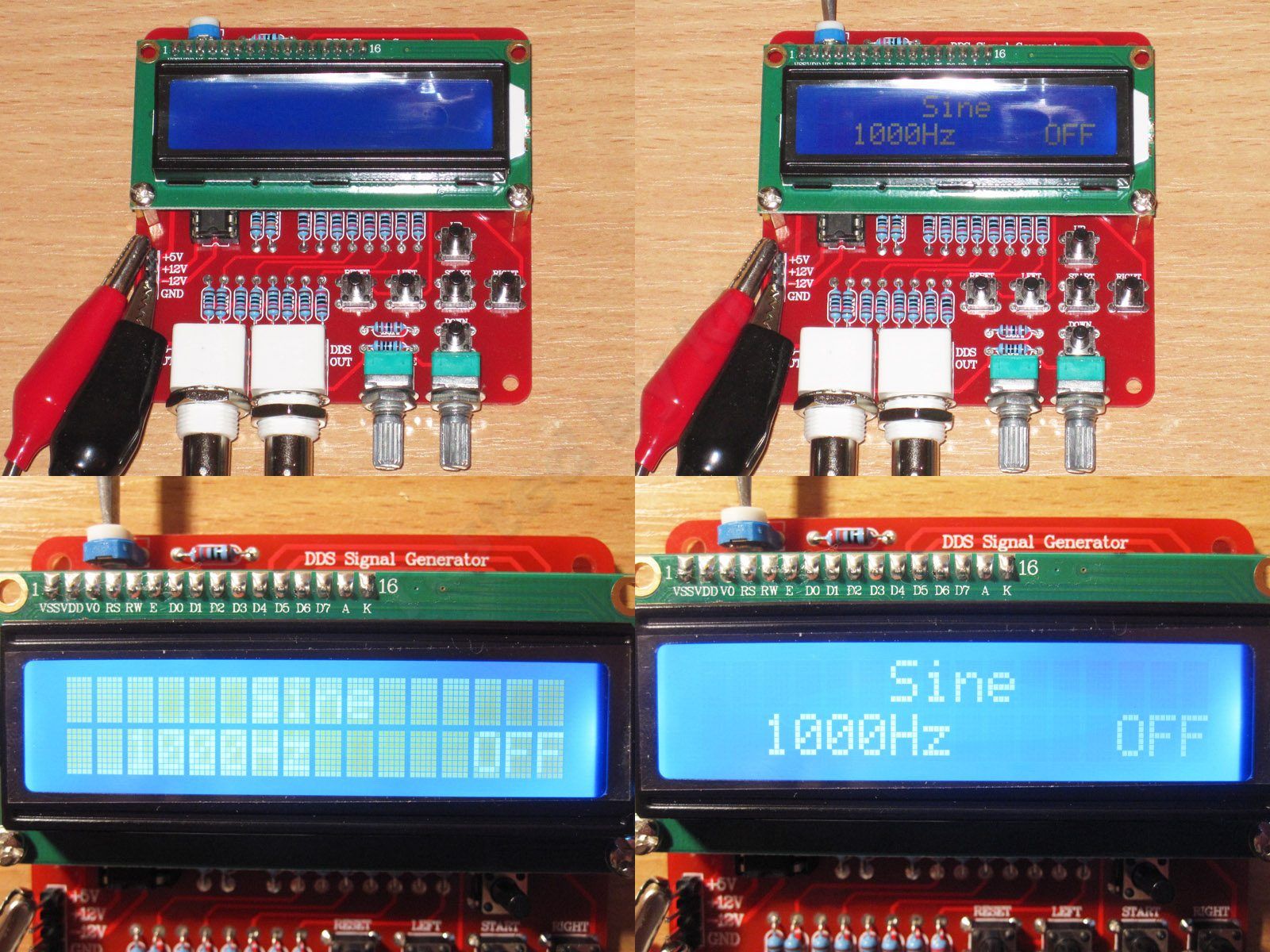
I connected the display with it hanging loose. Of course, this isn't recommended, but I couldn't be bothered to solder an adapter. Then I adjusted the contrast.
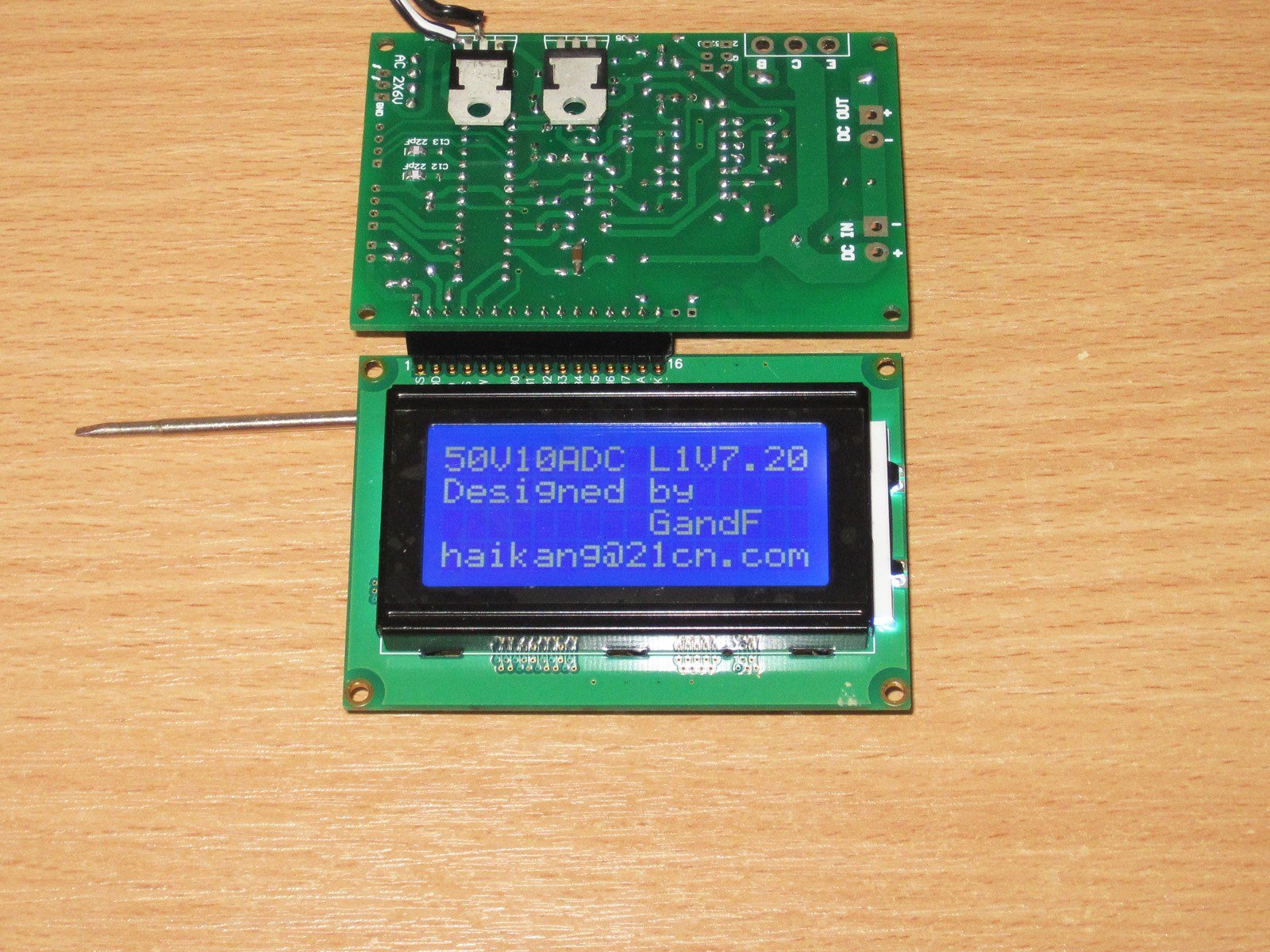
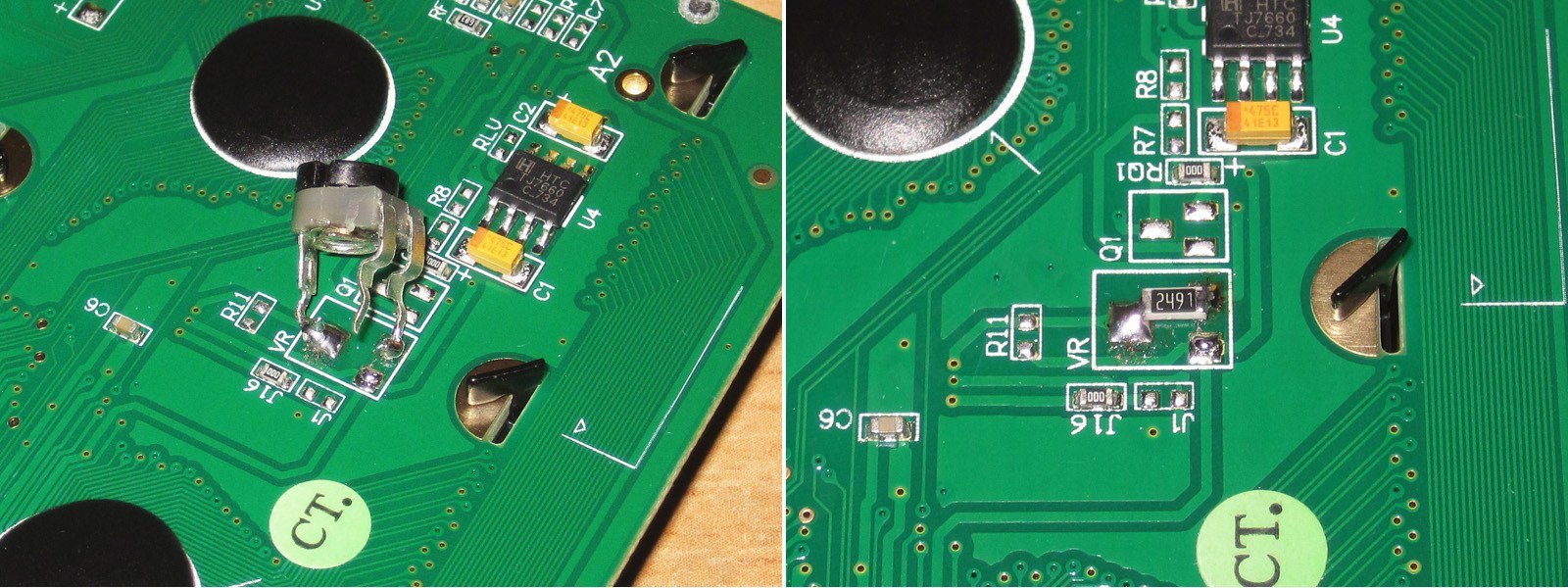
A negative contrast-adjustment voltage is usually required for VATN displays, but this one also has an inverter on its board that provides it. Regular displays use a positive voltage for contrast adjustment. In one of my reviews, I described a modification where I first installed a trimmer, adjusted the contrast, and then soldered a fixed resistor in its place.
In almost all cases, the contrast adjustment is on the device's circuit board, and the display itself is supplied with the adjusted voltage. So, on the modified VATN display, I didn't connect this pin anywhere else.
Here the display under review is connected and configured to work with my device.

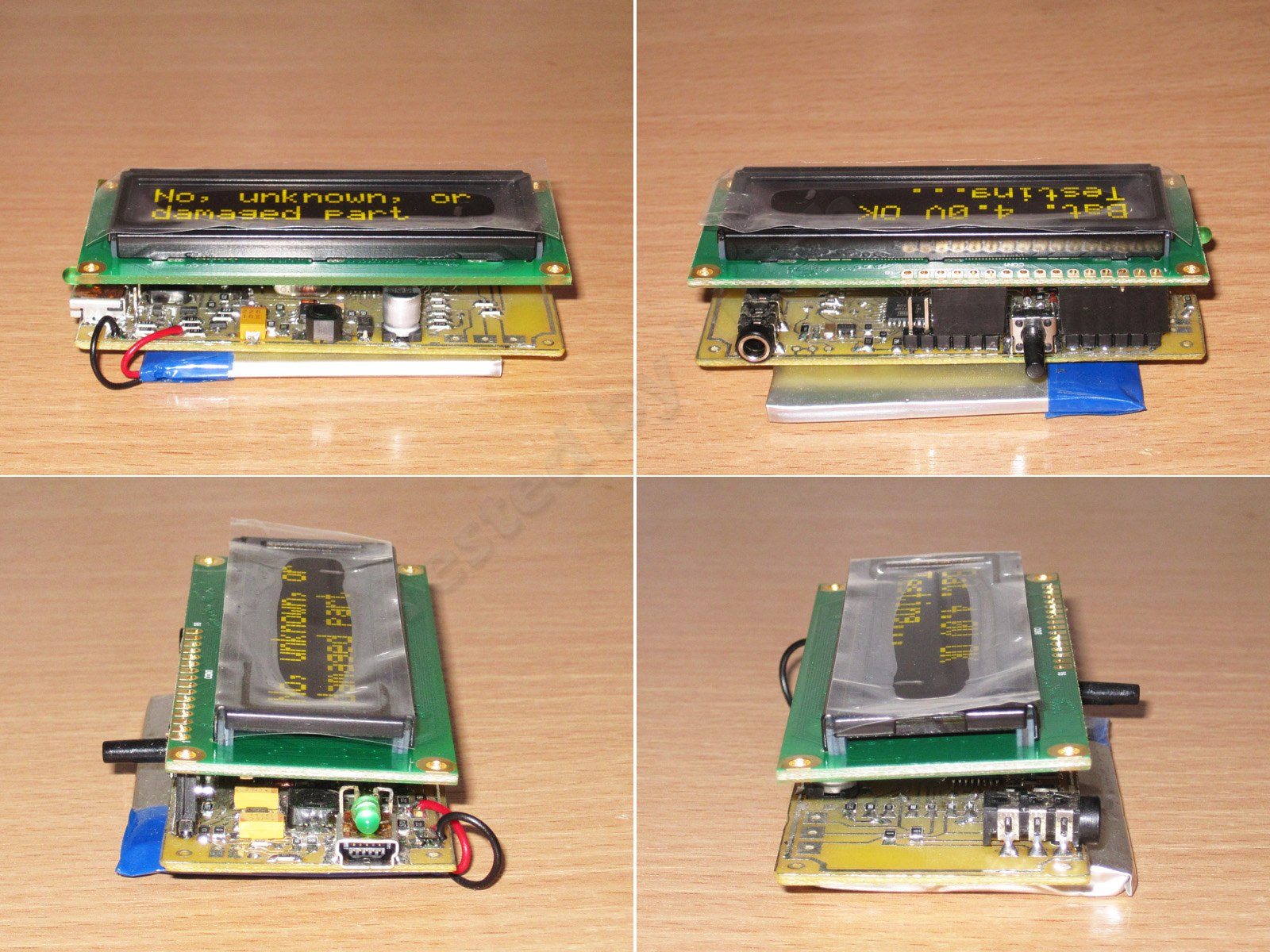
Viewing angles on this type of display are usually pretty dismal, so as far as I'm concerned, their only real advantage is the price—well, maybe their widespread availability too.
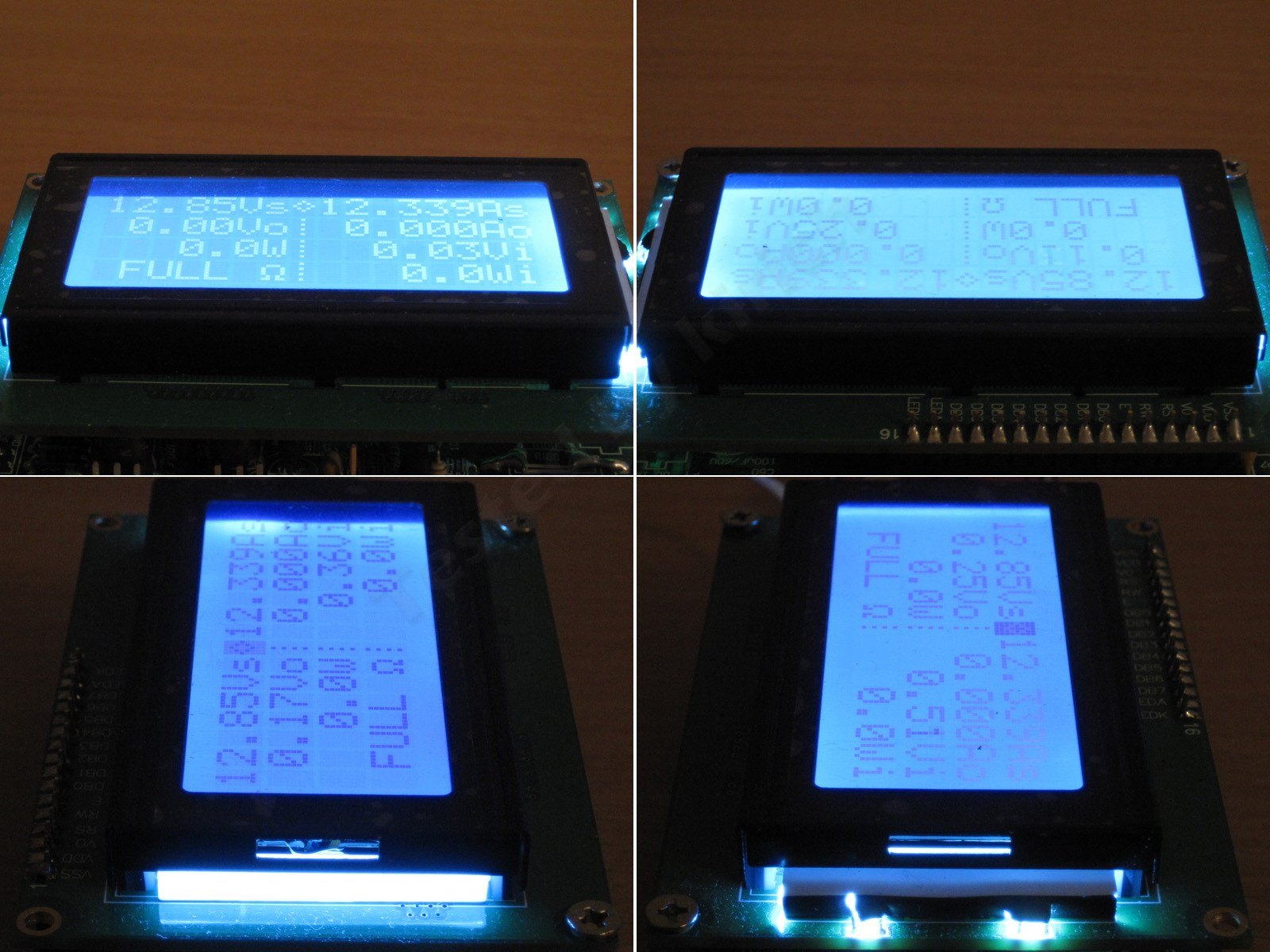
It looks a little better with the flash. By the way, the room light was actually on in the photo above, but the display itself is bright, so the camera automatically lowers its sensitivity and the result is rubbish.
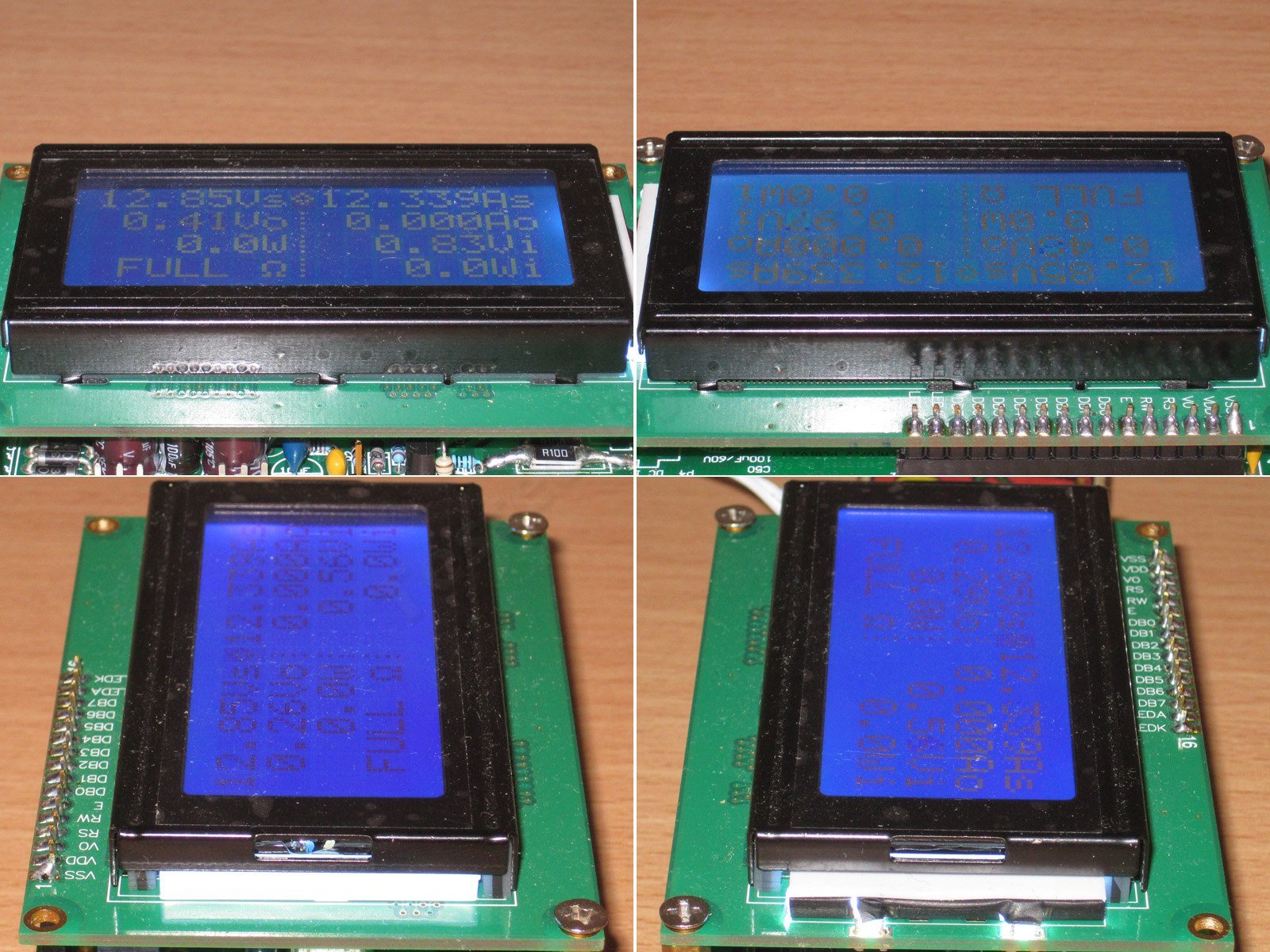
When viewed straight on rather than at an angle, the screen is perfectly readable. In person, it looks somewhere between these two photos, perhaps a little closer to the one on the right, but not by much.
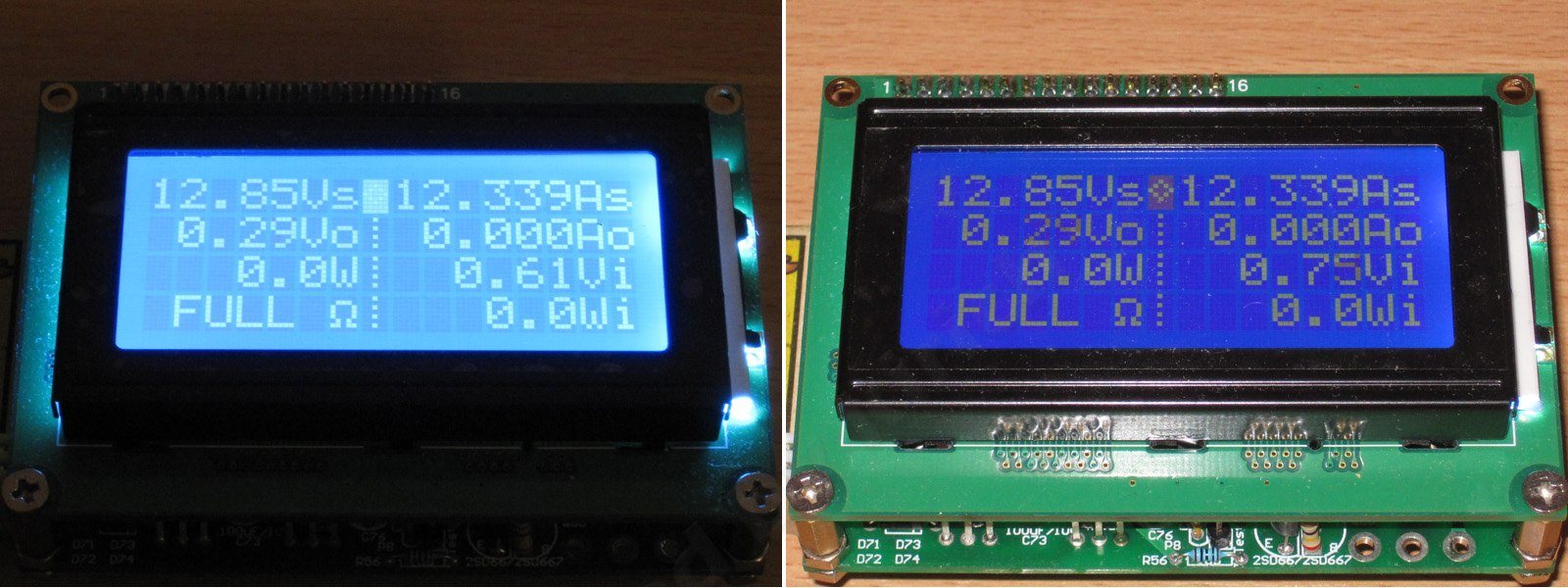
For comparison, here's a VATN display at a noticeably wider viewing angle; in some places it's genuinely almost edge-on.
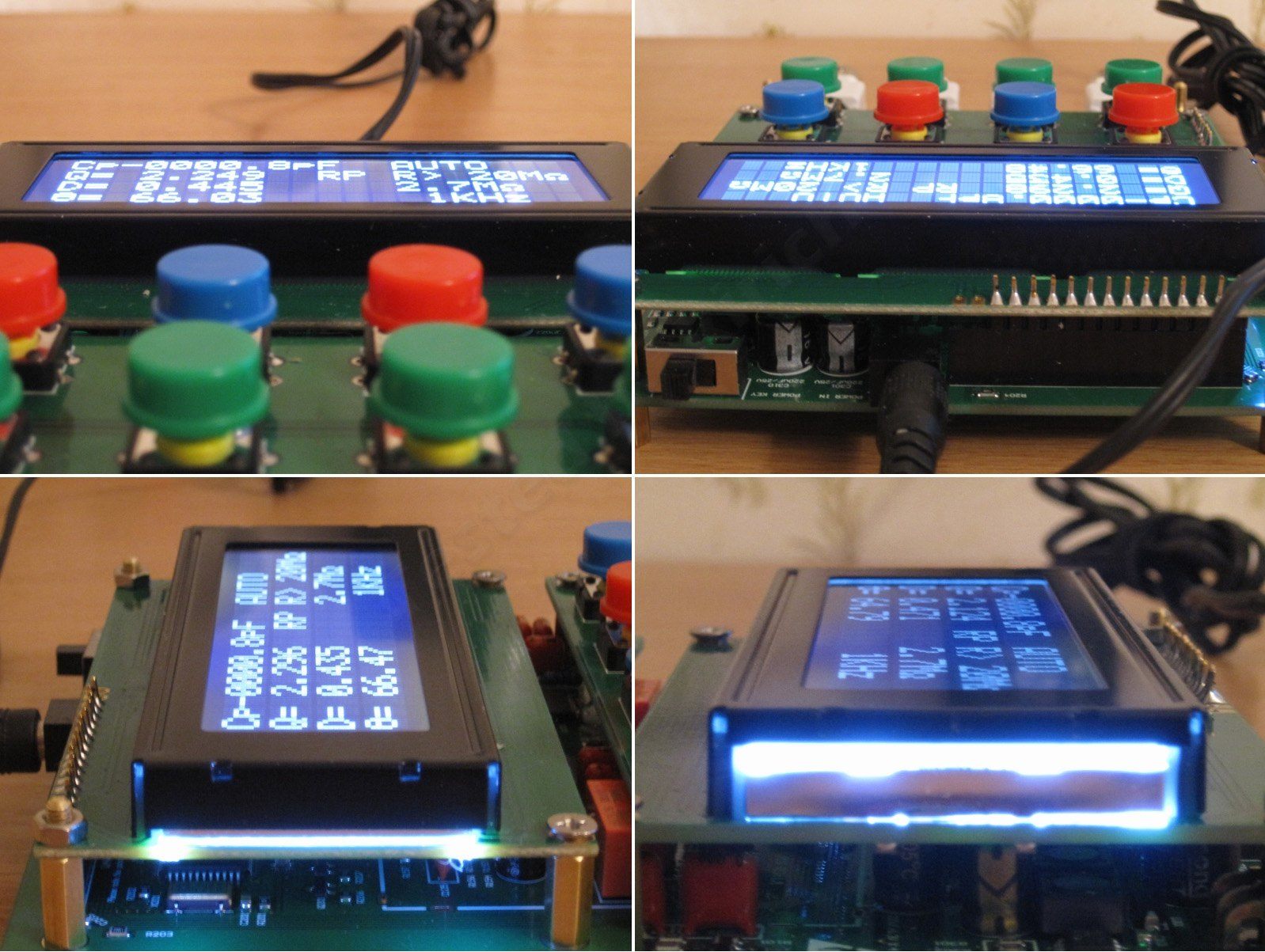
And of course, OLED is excellent in terms of viewing angles. I can't even imagine a situation where the image would be unreadable. But OLED is expensive and has a shorter lifespan.
And this is an image from the ad. It's more or less what we saw above.
The result also depends on the viewing direction the display was designed for. There are two main options: 12 o'clock and 6 o'clock. The first is intended to be viewed from above, the second from below.
For example, the first option is used in instruments with a vertically mounted screen that you look down at. The second suits devices with a horizontally mounted screen, such as handheld multimeters.
Contrast also has some effect on the viewing angle. Adjusting it can improve the image, but keep in mind that a 12 o'clock display can be adjusted to work in a 6 o'clock orientation, whereas a 6 o'clock display will give a worse result in a 12 o'clock orientation.

For example, this display is easier to read from above than from below.
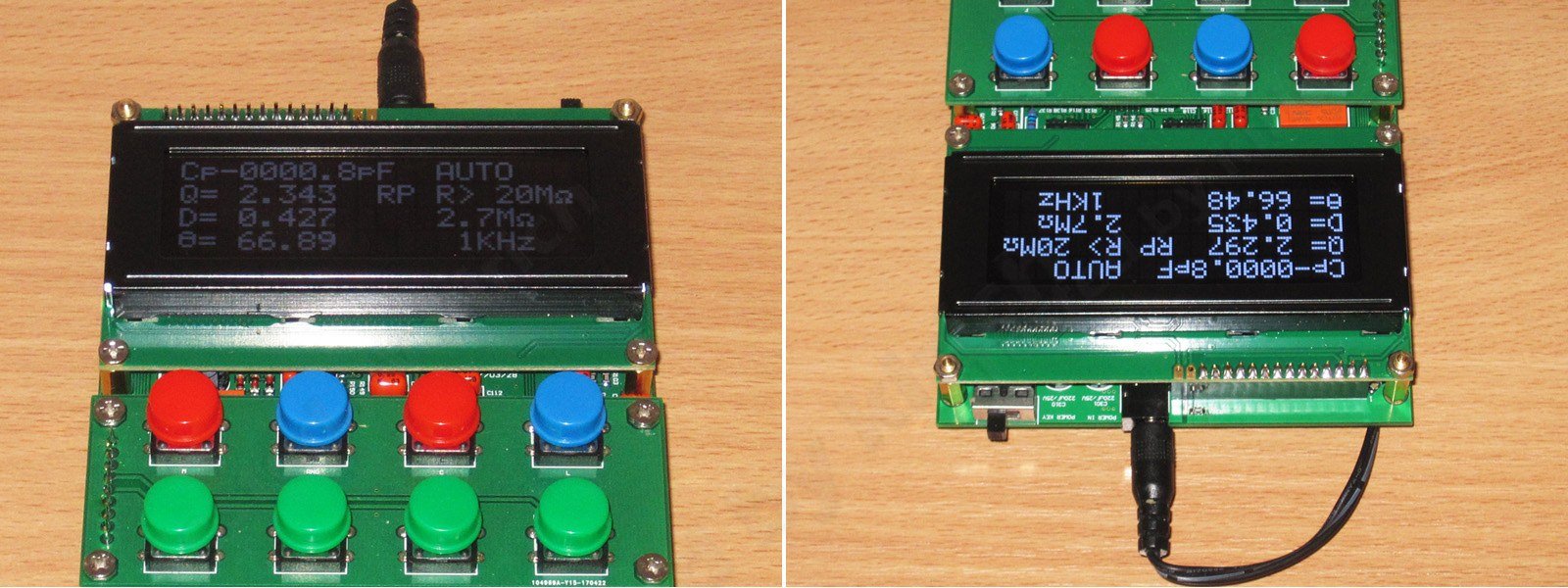
The correct orientation for this type of display is vertical, with you looking down at it.

The display under review is designed for a "6 o'clock" viewing direction, so this is the better orientation for it. Sometimes you can get a worse result than expected, not because of the display itself, but because it wasn't the right choice for the application.

There are also displays with adjustable viewing angles. The picture shows a prototype of one: a wide viewing angle on the left, and a narrow one on the right, where nothing is visible from the side.

Sharp has also made panels based on a similar principle that can show several different images at once, each for a different viewing zone.
Such panels were also planned for use in cars, where the driver would see one set of information on the screen while the passenger saw something completely different, such as a movie.

As far as I understand, TVs with similar panels were mass-produced, but I don't remember ever seeing them for sale here. In any case, this has very little to do with the LCD under review, and it’s really a topic for another discussion altogether.

OLED displays have appeared in these reviews:
60 V, 20 A high-power power supply - link
Audio DAC - link
VATN appeared in my LCR meter review - link
I also reviewed a VFD in my volume controller review - link.
I’ll keep the conclusions brief: this is a very ordinary display, one of thousands—or, more accurately, probably millions, given how widespread they are. It works fine and is “good for the money.” I’d say that if you want the best with no compromises, go for OLED; if you want a decent image but are short on cash, choose VATN; and if you want to add some “warm, tube-like” imagery to your home, go for VFD. In all other cases, you’ll probably have to make do with a basic LCD like the one shown in this review.
Personally, I prefer either OLED or VFD, but both cost a pretty penny, and some VFD models are almost impossible to buy. For example, VFD 2002 displays are available, but 1602 models are very rare. It’s similar with 2004 models: you can still find those somehow, but I’ve never come across a 1604. The alternative is a matrix display, but I’m not a programmer who can adapt one to replace the other.
That’s all for today. I hope this was useful—or at least interesting.
$5.24
This page was found when searching for:
примеры для теста дисплея 1604 с русскими символами, технические характеристики на дисплей lcd p/n: 103003706, winstar 1604 oled и жк в чем отличие, отличие дисплея 2004 от1604 ?, блок питания см1604 схема, экран 1604lcd подключение к arduino, дисплей 1604 1a особенности, 2, дисплей 2004 и 1604 скорость работы, 1, 5, засвечиваются знакоместа символьного дисплея, схема подключения winstar wh2004 и arduino, контакты для ремонта символьного дисплея, блок rt1604, c1604m, жк индикатор 1604a, 8 ми символьный жк дисплей gd 3382aw, 8 ми символьный жк дисплей gd-3382aw, четырехстрочные дисплеи1604, дисплей 1604 подключение к ардуино, дисплей 1604 v1.2 регулировка контрастности, lcd1604схема подключения, индикатор лсд1604 для токарного станка, жк дисплей 1604 дюйма, 16x4 символов, символьный дисплей, тест ЖК дисплея, дисплей 1604, технический обзор ЖК дисплея, ЖК дисплей устройство
примеры для теста дисплея 1604 с русскими символами, технические характеристики на дисплей lcd p/n: 103003706, winstar 1604 oled и жк в чем отличие, отличие дисплея 2004 от1604 ?, блок питания см1604 схема, экран 1604lcd подключение к arduino, дисплей 1604 1a особенности, 2, дисплей 2004 и 1604 скорость работы, 1, 5, засвечиваются знакоместа символьного дисплея, схема подключения winstar wh2004 и arduino, контакты для ремонта символьного дисплея, блок rt1604, c1604m, жк индикатор 1604a, 8 ми символьный жк дисплей gd 3382aw, 8 ми символьный жк дисплей gd-3382aw, четырехстрочные дисплеи1604, дисплей 1604 подключение к ардуино, дисплей 1604 v1.2 регулировка контрастности, lcd1604схема подключения, индикатор лсд1604 для токарного станка, жк дисплей 1604 дюйма, 16x4 символов, символьный дисплей, тест ЖК дисплея, дисплей 1604, технический обзор ЖК дисплея, ЖК дисплей устройство
The figures from this review are in the measurement database: Other devices
Discounted products
You may be interested in


Discounted products
Support the project
All the content on the site and the advice are free, but we’d be grateful for your support of the project and the channel!
Discuss on the forumHave a question or some experience to share? Discuss the article with the author and readers: the forum is a convenient place to share schematics and photos.
Go to the forumOnly registered readers can comment. It takes a minute to sign up, and you can log in with the same account you use on the forum.
Log inRegister